Appearance
Payment Plans - Creating and Editing
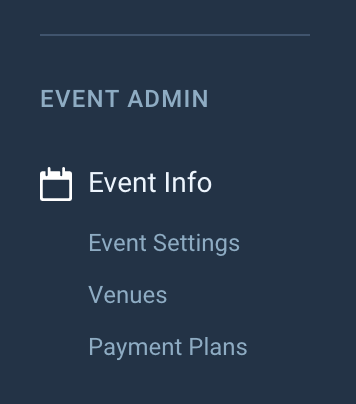
You can create and edit your payment plans for your events by using the Payment Plans link in the left-hand event navigation menu, under Event Info.
General Information
Payment Plan Name
This name will appear on the checkout form for Lead Bookers to select.
Plan Description
This description will appear on the checkout form, when a Lead Booker selects a plan.
Available From
The date that this payment plan is available to Lead Bookers from.
Available To
The date that this payment plan is available to Lead Bookers until. This date must be early enough so that all instalments can be paid before the event start date.
Minimum Subtotal (£)
This is the minimum subtotal an order must have before this plan is available for selection.
Deposit
The deposit amount in pounds (£) or as a percentage of the order value (%)
Payment Plan Fee (£)
This is an optional fee that will be added to the order for the lead booker to pay if they use this payment plan.
This fee is designed to cover the extra transaction fees and any extra administration costs.
Payment Plan Fee Description
If you are charging an additional fee for the use of the payment plan, use this field to describe to the Lead Booker what the fee is for.
Automatically Collect Payment
Enable this option if you want Solidrock to automatically collect scheduled payments. If this option is disabled, an invoice will be sent for Lead Bookers to manually pay the scheduled payment instead.
TIP
Automatic payments will be attempted up to 3 times if a payment fails on the following schedule:
- 1st attempt: On the due date of the instalment
- 2nd attempt: 3 days after the initial failed payment
- 3rd attempt: 5 days after the initial failed payment
Lead Booker Agreement
Lead bookers wanting to use this payment plan will need to accept this agreement before paying for their order. This agreement can be updated at any point, but previous orders will be held to the agreement they accepted when putting their order through.
TIP
This agreement can be plain text or a PDF file uploaded to the system. If you choose to upload a PDF, the Lead Booker will be able to view this PDF before accepting the agreement.
Acceptance of Liability
Organisations must agree that SolidRock Technology is not liable for any payment arrangement / payment plan entered into with a ticket purchaser.
Status
This allows you to choose whether this payment plan is enabled or not.
Instalment Settings
Instalment Type
Regular Instalments: The order total (minus any deposit) will be split equally across the number of instalments set in the instalment period section.
Single Balancing Instalment: A deposit (if set) will be taken at checkout, and then a single balancing instalment will be created for the remaining amount, due by the date specified.
Regular Instalments
Instalment Period
The payment instalments will be taken every week or month (depending on which you choose) for the amount of instalments you choose. For example, selecting 5 months will schedule a monthly payment for the next 5 months.
Single Balancing Instalment
The balancing instalment will cover the remaining amount of the order, after any deposit taken at checkout, and can be paid in advance of this date if the lead booker wishes to do so.
Balancing Instalment Due Date
The date that the balancing instalment will be due. This must be before the event start date.